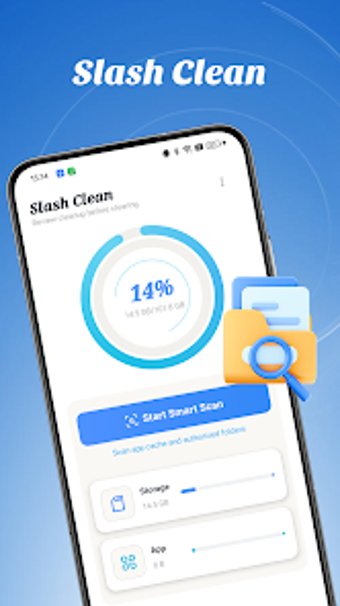
Slash Clean: focused Android cleaner for reclaiming storage space
Explore Slash Clean, by Zahid Bloch, a storage-maintenance utility for Android that targets accumulated junk files and device clutter. It performs smart scans to locate cache, logs, temporary files, obsolete APKs, and archives, then presents cleanup choices alongside a simplified storage status readout. The app combines automated detection with a manual selection workflow and granular cleanup controls, aimed at Android users who need hands-on, safe space recovery on constrained devices.
Slash Clean narrows the problem to recoverable junk and installer residues
As a focused utility, the app uses smart junk scanning to surface redundant items rather than broad system tweaks. The scan output groups candidates such as cache, system logs, temporary files, obsolete APK installers, and archive files, so users see what occupies space. This concentrated scope suits people who only want to free storage, not those seeking additional device maintenance utilities. The app lists removable types so decisions remain explicit.
Scans show a light system footprint and live storage feedback
The tool emphasizes a lightweight design and provides real-time storage status monitoring during inspection. Because the developer positioned the app for single-purpose cleaning, it is presented as a compact utility compatible with modern Android devices and offered through the Google Play Store. Moreover, the live status dashboard gives immediate visibility into available space while the scan runs, helping users decide whether to proceed.
Safety features reduce the risk of accidental deletions
Slash Clean requires user approval before removal through a manual file selection interface, which gives final control over what is deleted. In addition, granular cleanup type controls let users isolate categories for review. These safeguards are explicit design choices that aim to protect important files by default, matching its stated balance between automation and user oversight.
The interface targets everyday Android owners but limits power users
The simplified dashboard and manual-selection workflow make the app accessible to owners managing limited storage, since the layout focuses on immediate disk health signals. Nevertheless, the narrow feature set means advanced users who expect broader maintenance toolsets may find the app too specialised. For casual maintenance schedules, the app’s focused approach suits routine cleanups without introducing complex options.
Practical, narrowly focused cleaning best for cautious Android owners
Slash Clean is a practical choice for Android users who want a single-purpose utility to reclaim storage with explicit user control; it suits people who prefer to review deletions before they occur. The main limitation is its narrow remit, as the app intentionally avoids wider device maintenance features, so those seeking an all-in-one toolkit should consider alternatives.